
One tap to start
Choose the method and your saved gear, then start the session.
Log
Start a session and a live timer keeps track, right on your Lock Screen too.
Pick a method, choose recreational or medical, and start. A live timer runs in the app and on your Lock Screen. When you are done, Quick finish saves the session, or open the full end log to add effects, a rating, and notes.
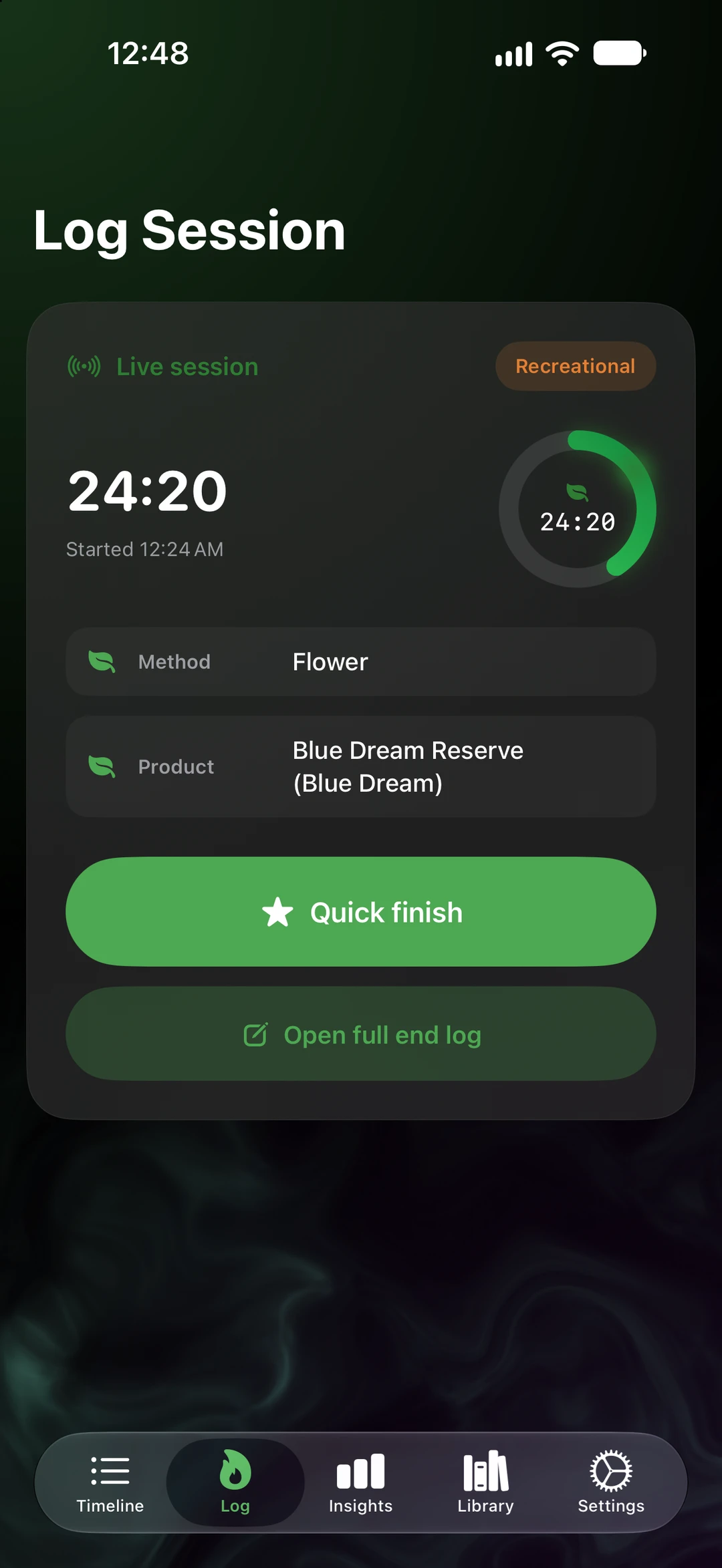
Choose the method and your saved gear, then start the session.
The session timer keeps running in the app and in a Live Activity on your Lock Screen.
Save the session in one tap, or open the full end log when you want more detail.
Mark each session as recreational or medical, so your journal keeps them apart.
The details
Everything here stays on your devices and in your own iCloud. There is no SeshTime account and no tracking.
Logging after the fact? Quick log records a session without running the timer.
Ask journal answers questions about your own entries, on your device.
SeshTime opens with your devices and your iCloud. There is nothing to sign up for.
SeshTime is coming to iPhone, iPad, and Apple Watch. No account to create, nothing to track, and your journal stays in your iCloud.
Not on the App Store yet. This button is a placeholder until the listing is published. App Store ID: APP_STORE_ID_PLACEHOLDER.