
Grouped by day
Yesterday, last Tuesday, last spring. Every session sits under its date.
Timeline
Every product, effect and rating, all in one place.
Every session, grouped by day: the product, the method, your rating, how long it lasted, and the effects you tagged. Scroll back as far as you like.
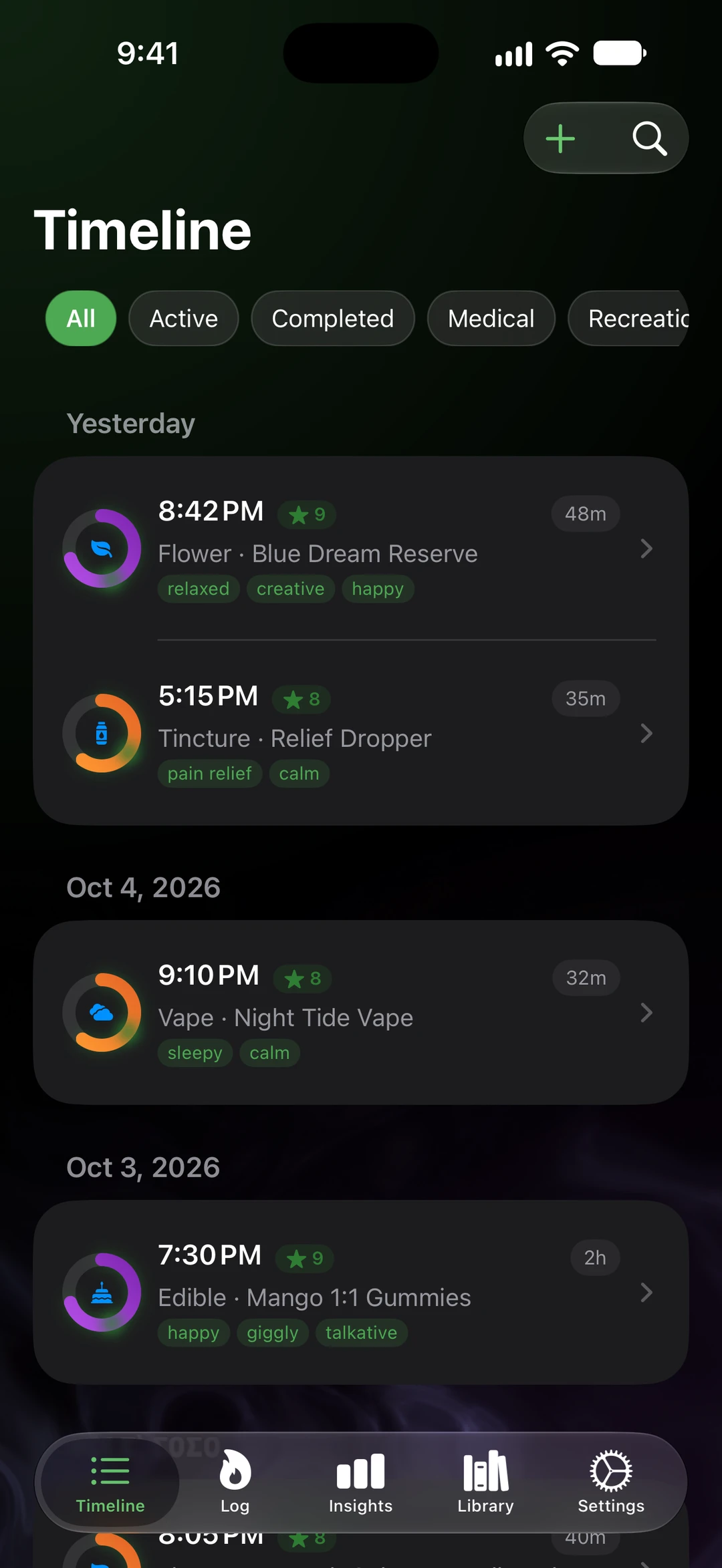
Yesterday, last Tuesday, last spring. Every session sits under its date.
All, Active, Completed, Medical, or Recreational. Search across notes, effects, and products.
Time, the product and its potency, effects, rating, notes, photos, and a short summary written on your iPhone.
With your permission, see heart rate before, during, and after a session, plus HRV, from Apple Watch data in Health.
On iPad the list stays put and sessions open beside it.
Good to know
Turn on sync and your timeline follows you between iPhone and iPad, in your own private iCloud database.
Find a session from Spotlight, unless you hide previews. Pick up where you left off on another device.
Export everything as CSV, JSON, or a PDF summary whenever you like.
SeshTime
Log it. Scan it. See what works for you. Coming soon to iPhone and iPad.
Not on the App Store yet. This button is a placeholder until the listing is live. App Store ID: APP_STORE_ID_PLACEHOLDER.