
One tap to start
Flower, vape, edible, concentrate, tincture, or topical. Recreational or medical. Pick a product and a dose, and you’re off.
Log
Start a session and a live timer keeps track, right on your Lock Screen too.
Pick your method, mode, product, and dose, then tap start. The timer ring keeps going while you get on with your evening. When you’re done, finish with a quick rating or the full log.
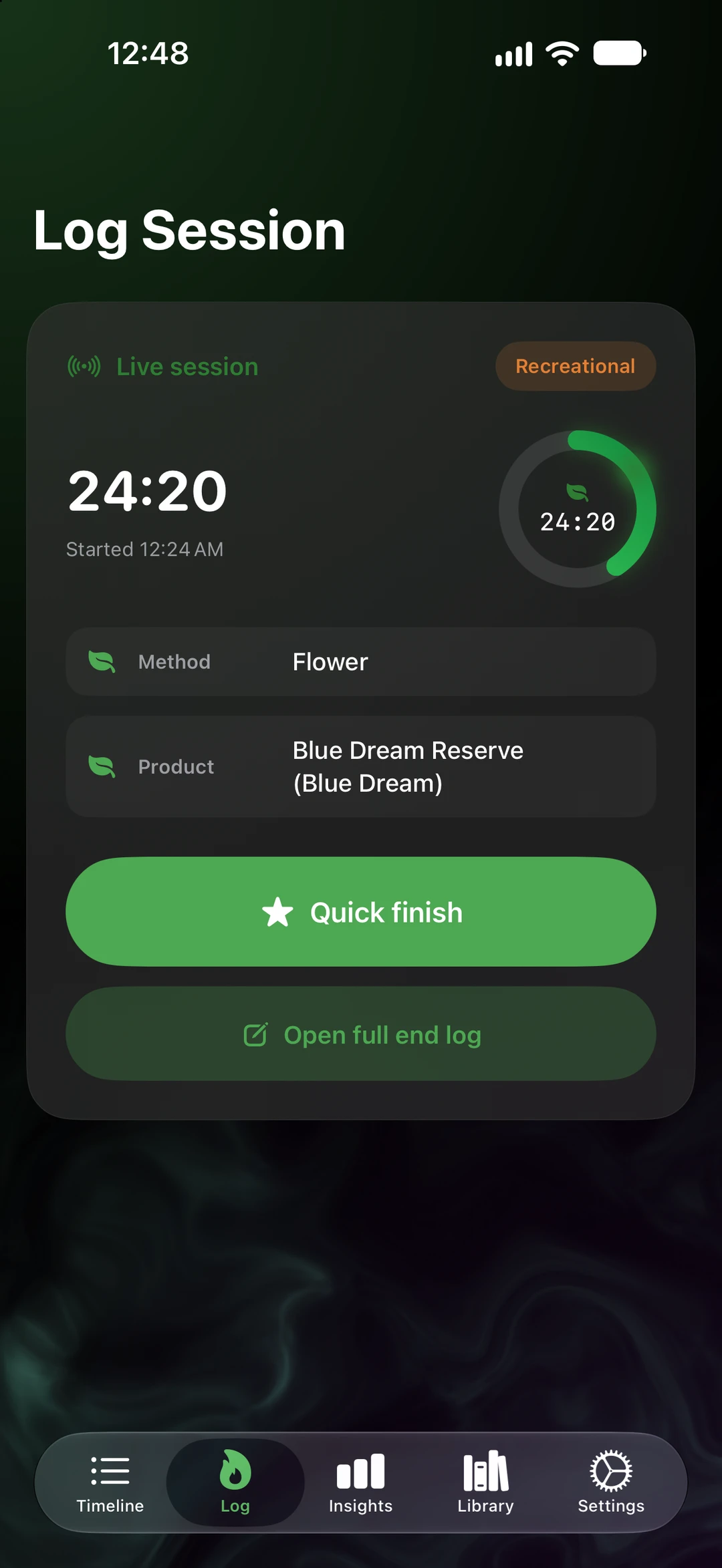
Flower, vape, edible, concentrate, tincture, or topical. Recreational or medical. Pick a product and a dose, and you’re off.
A timer ring keeps time in the app, rides above the tab bar on every other tab, and sits on your Lock Screen.
Quick finish with a star rating. Or open the full end log for intensity, effects, a rating, notes, photos, and a voice note.
Forgot to start one? Quick Log adds it after the fact. Or just describe it out loud. Dictation happens on your iPhone.
Favorites, recent setups, and your gear turn a repeat session into one tap.
A gentle morning prompt asks how yesterday’s session left you. Over time, that shows up in your insights.
Edibles and tinctures get an onset estimate with a countdown, plus an optional onset alarm.
Good to know
Switch to medical mode and rate your symptoms before and after.
SeshTime opens with your iPhone and your iCloud. Nothing to sign up for.
Every session lands on your timeline, ready to look back on.
SeshTime
Log it. Scan it. See what works for you. Coming soon to iPhone and iPad.
Not on the App Store yet. This button is a placeholder until the listing is live. App Store ID: APP_STORE_ID_PLACEHOLDER.