Log
Log it in
one tap.
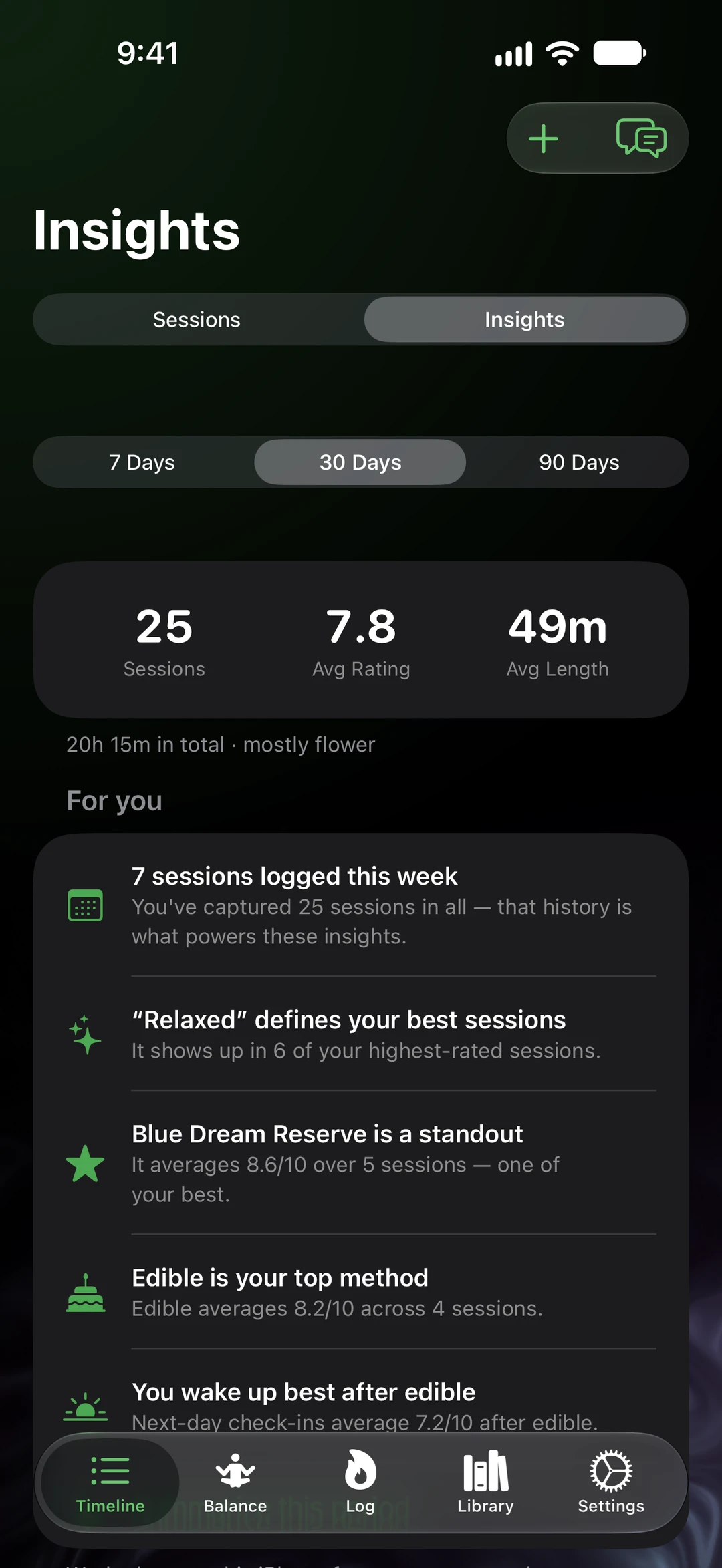
Start a session and a live timer keeps track, right on your Lock Screen too.
More about Log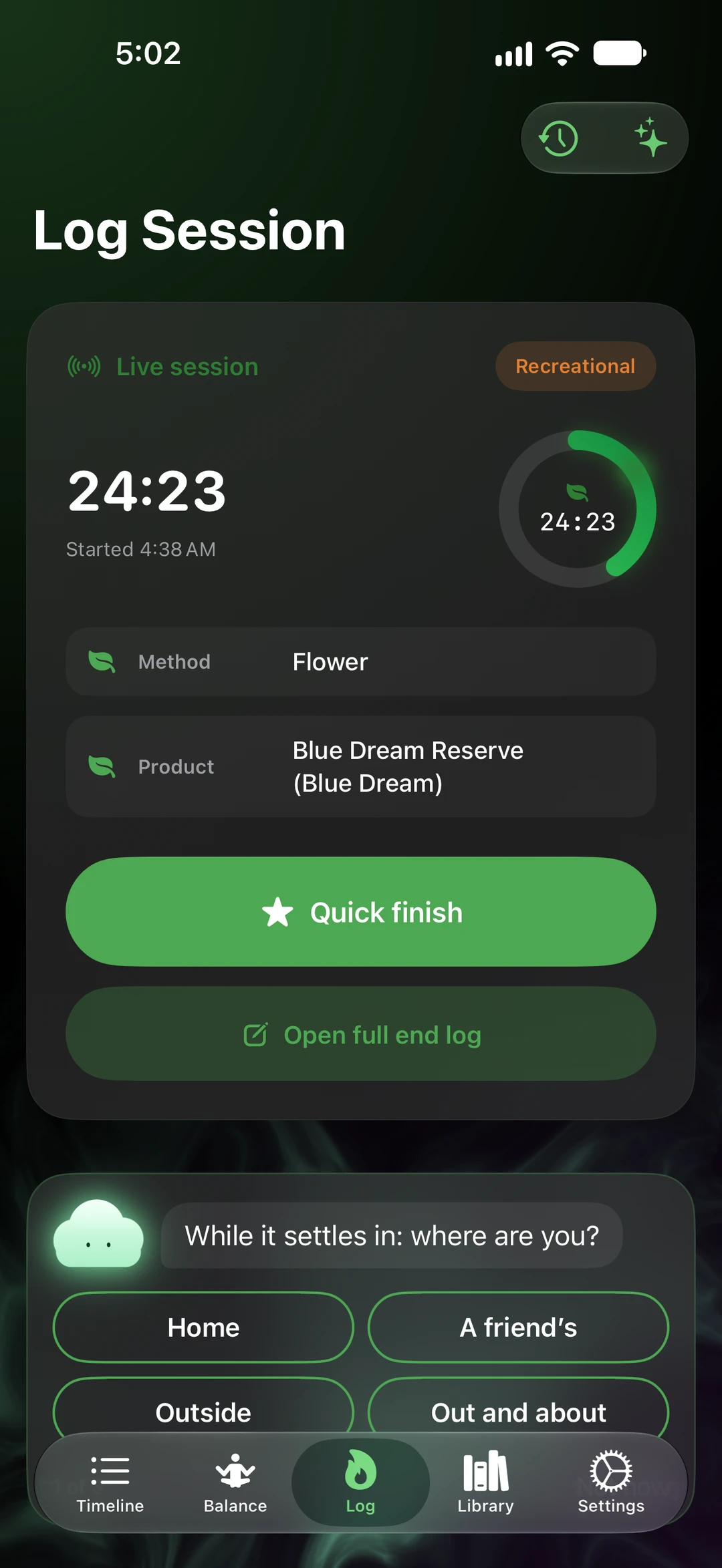
 SeshTime
A calm, private journal for how cannabis actually works for you.
Log it. Scan it. See what works for you.
01 / 05
One tap to start, a live timer while it runs, effects and ratings when it ends. All on one timeline.
Log
Start a session and a live timer keeps track, right on your Lock Screen too.
More about LogTimeline
Every product, effect and rating, all in one place.
More about Timeline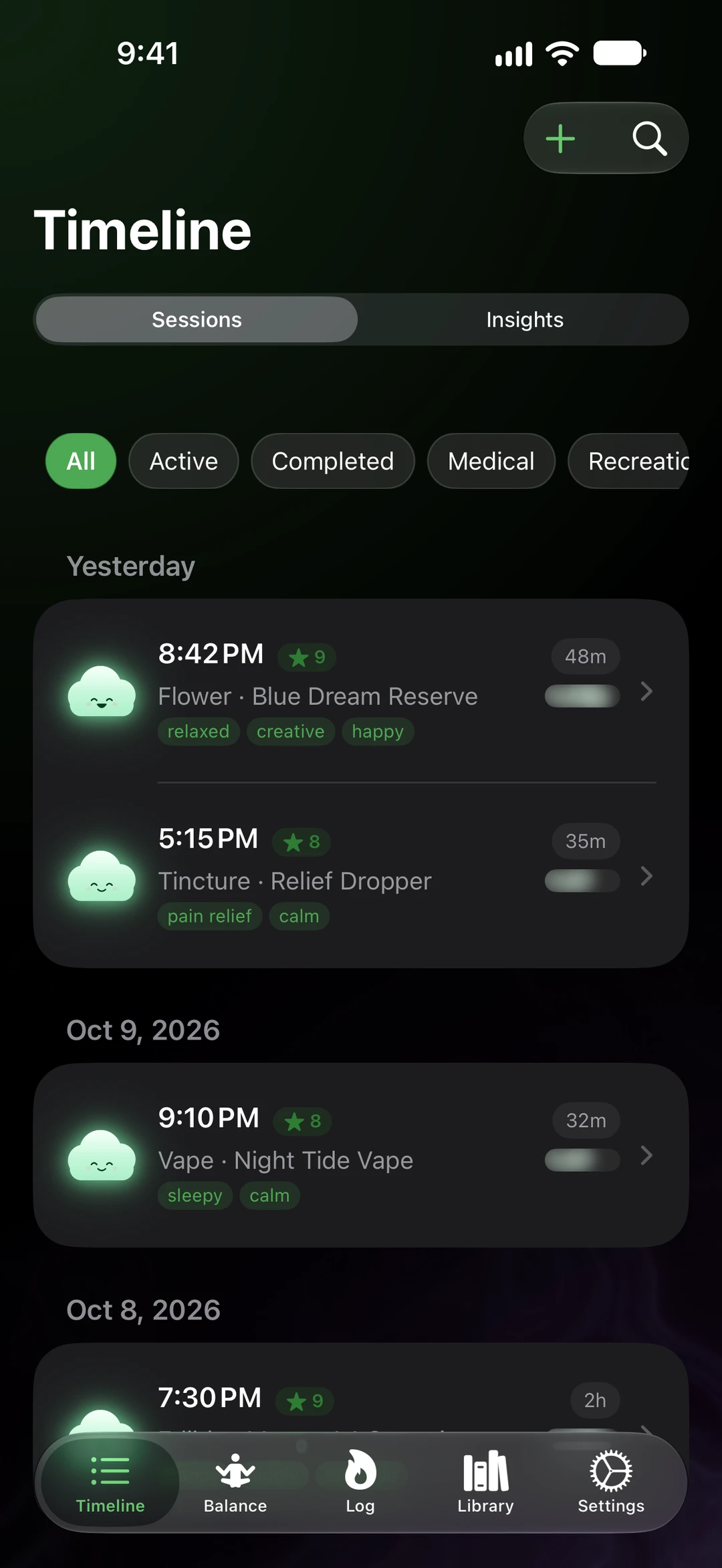
Every detail
Effects, ratings and notes, saved with every session.
More about Session details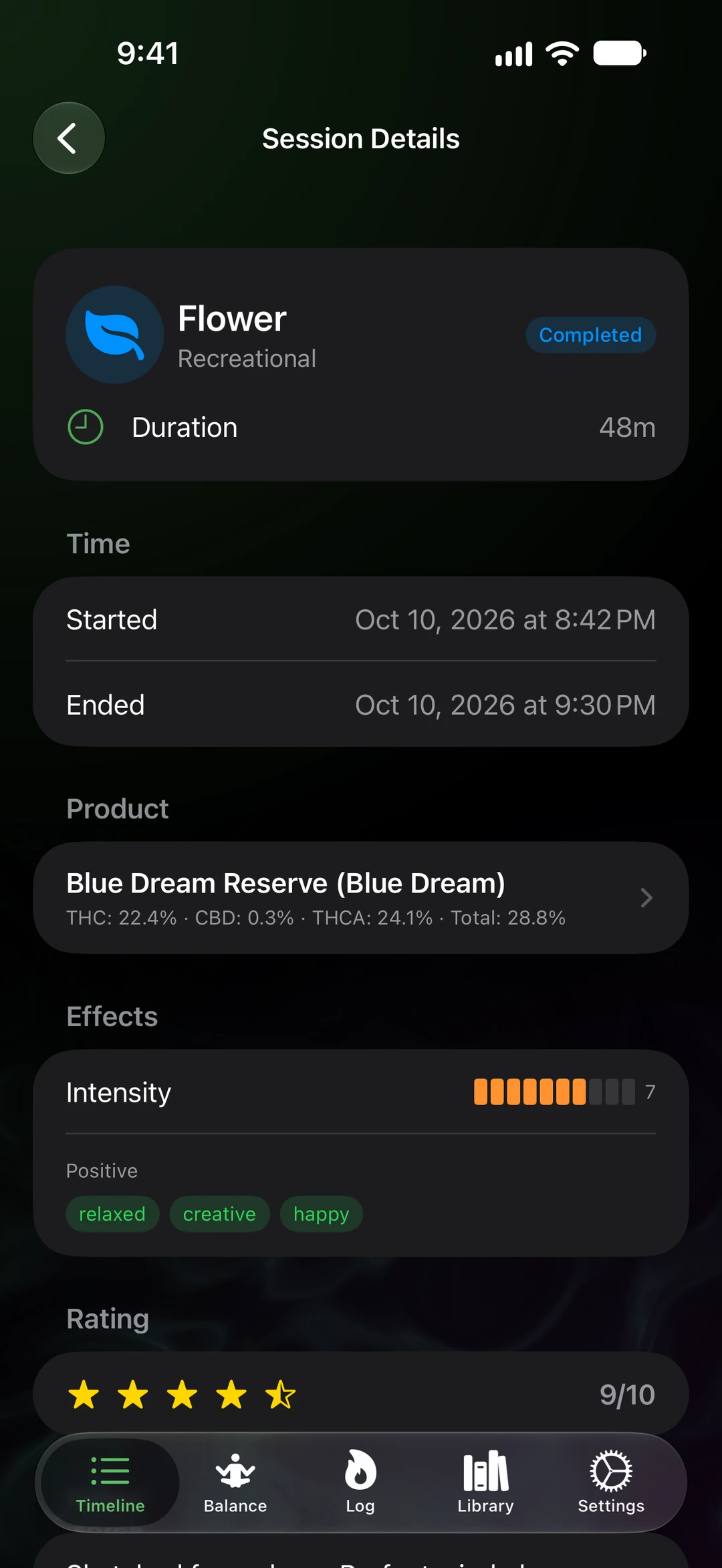
02 / 05
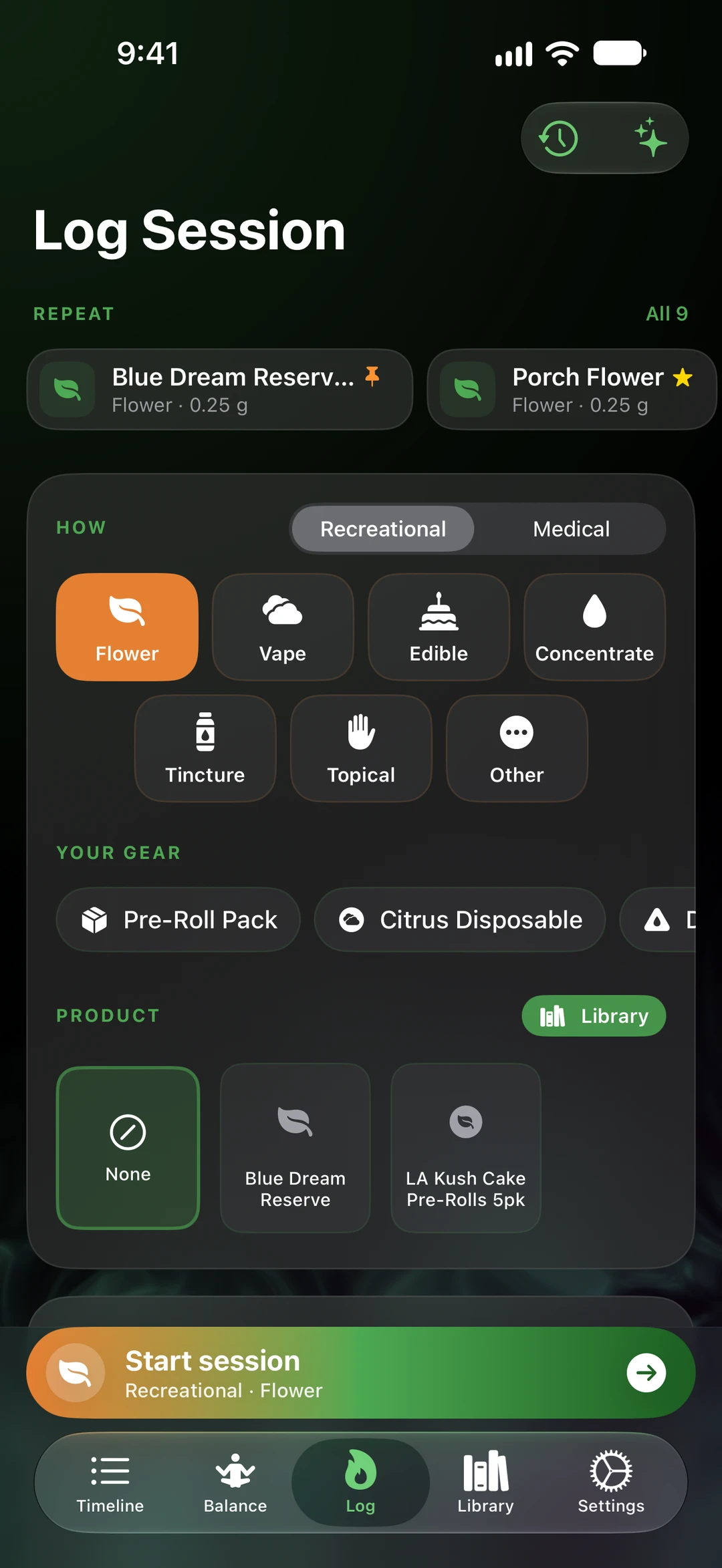
Snap the front and back. SeshTime reads the cannabinoids, terpenes, size, and batch, then drafts the product for you to check.
Smart Scan
Potency, cannabinoids and terpenes, read privately on your iPhone.
More about Smart Scan03 / 05
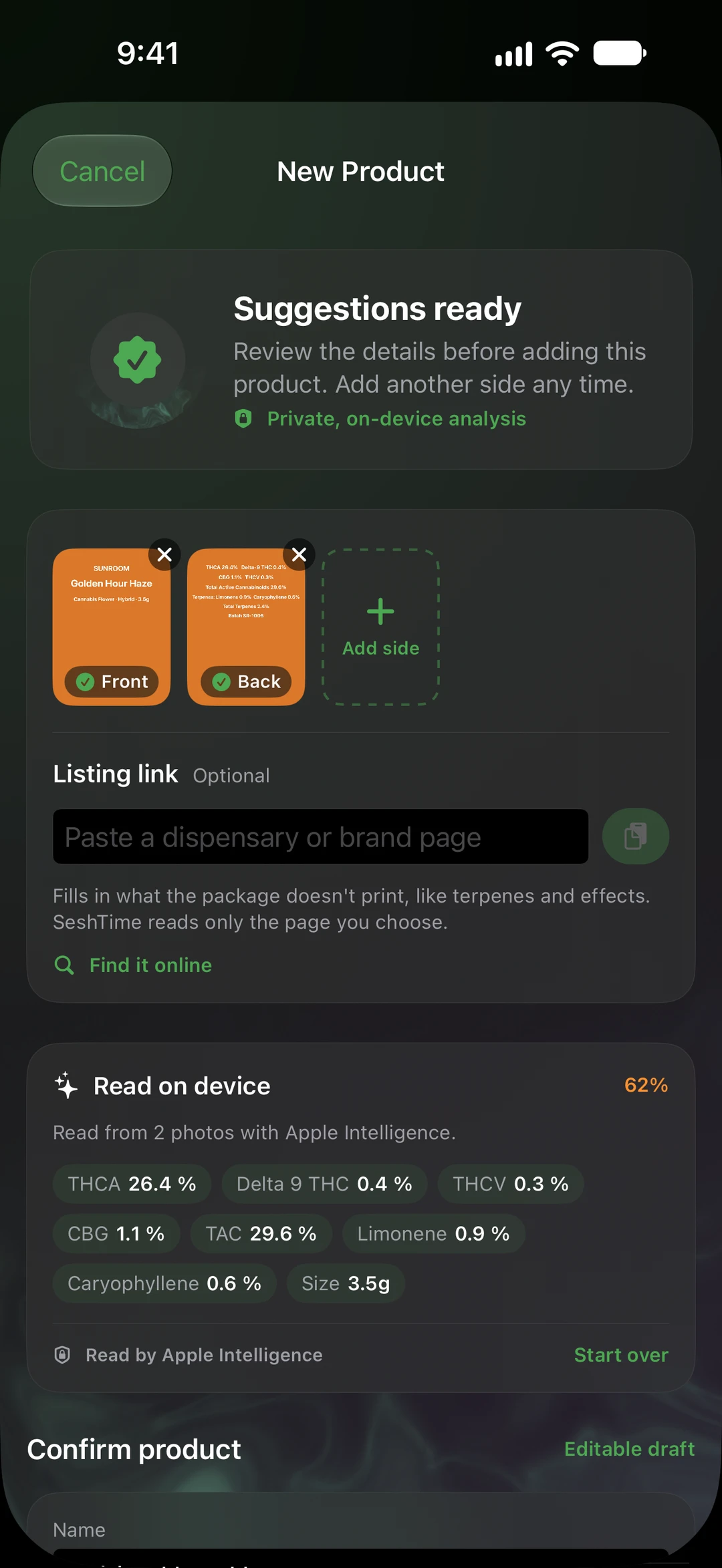
Your standout products, the method you rate highest, what your best sessions have in common, and how you feel the morning after.
Insights
Patterns from your own sessions, worked out on your iPhone.
More about InsightsCompare
Flower, vapes, edibles and more, rated side by side.
More about Compare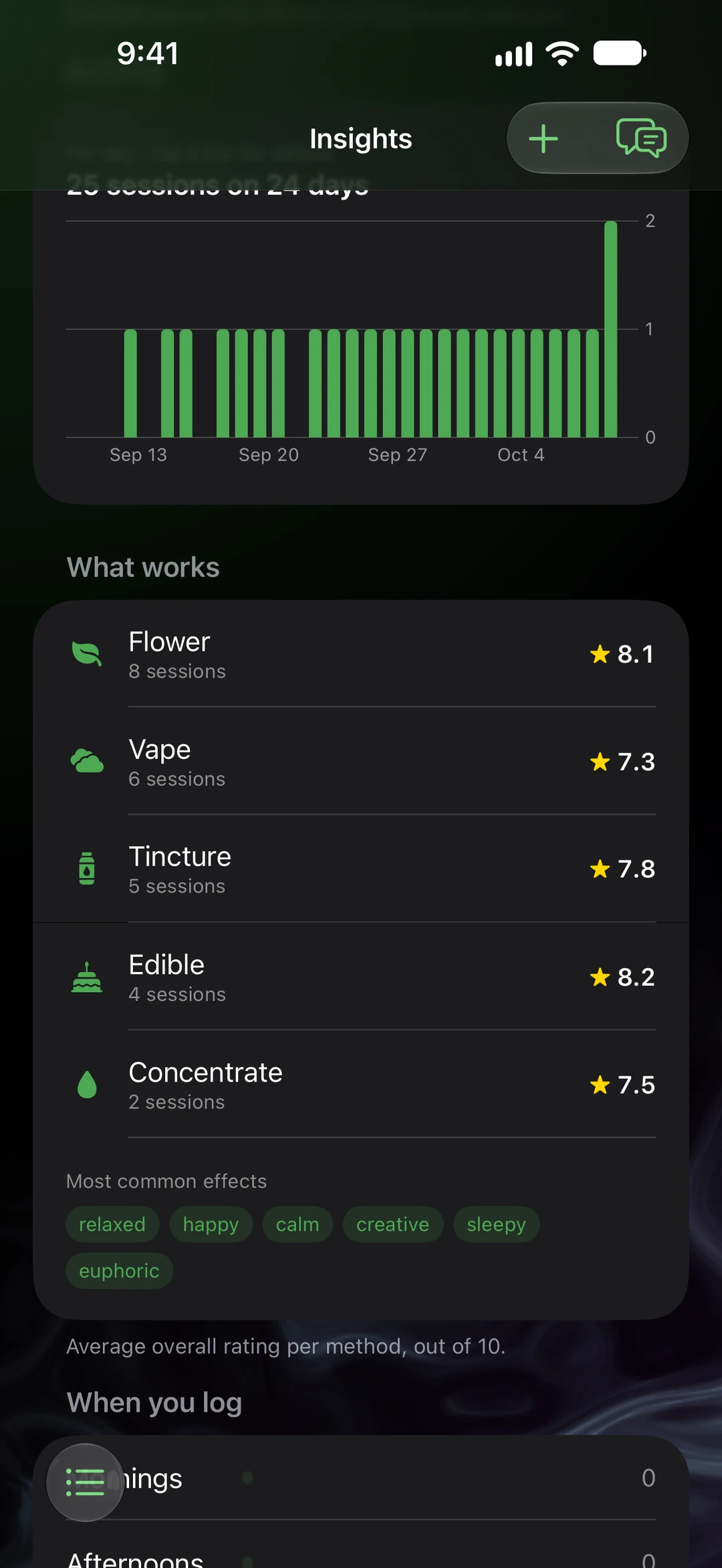
Balance
Puff faces for a daily check-in. Days off this week, with an optional goal. Breaks from 48 hours to 30 days: a session pauses a break, with no streaks and no shame.
Rate the day with a face. Puff also asks about blanks on the Lock Screen.
If you allow Apple Health, sleep after days off sits next to sleep after session days. Heart rate and HRV around a session stay as they were.
Symptom relief is the before-and-after notes you keep. A PDF summary is there if you want to share it with a clinician.
04 / 05
No account. Reading and insights happen on your iPhone. Sync is your own iCloud. Lock it with Face ID.
Nothing to sign up for. Open it and log. No ads, no third-party analytics.
Package reading, insights, and AI answers all happen right on your iPhone.
Sync is optional and lands in your own private iCloud. We can’t peek.
Face ID, Touch ID, Optic ID, or a passcode. A privacy shield hides SeshTime in the app switcher.
Your journal, your call. Export it as CSV, JSON, or a PDF summary anytime.
05 / 05
Siri, Shortcuts, widgets, a Live Activity on the Lock Screen, NFC tags, Spotlight, iPad layouts, and an Apple Watch app.
A live timer and onset countdown on your Lock Screen. End and rate without opening the app. Puff asks about anything left blank.
Your week in one glance: the chart, your trend, average rating, and top effects.
Start your usual in one tap. A live ring with onset, Crown rating, effect chips, an onset reminder, complications, and the Smart Stack.
Room to spread out. The list stays put and sessions open beside it, with Dynamic Type and VoiceOver throughout.
Start, end, quick log, or check in, just by asking. Shortcuts too.
Quick Start, Active Session, Recent Sessions, and This Week, even in StandBy.
Tap a tag on your gear to start. Tap again to end.
Find a session from Spotlight. Pick it up on another device.
Point your camera at a package to spot the products you’ve already saved.
SeshTime shows up when you want it, and stays quiet when you don’t.
Ready when you are
Log it. Scan it. See what works for you. On the App Store for iPhone, iPad, and Apple Watch. No account needed.
SeshTime on the App Store, for iPhone, iPad, and Apple Watch.